
The sitter is standing in the doorway, coat still on, and you're already three sentences into a list that only exists in your head. The nap that didn't happen. The cup that leaks. Who to call, and when, if the evening stops going the way it usually does. Half of it doesn't make it out loud, and you find out later, from a text or from how the night went, which half.
Handing care off to someone else has a real, ordinary failure mode behind it. You don't forget the important things. You run out of doorway before you get to all of them, because a whole day doesn't fit into the two minutes you have while someone waits at the door with their keys still in hand.
The fix is a shorter briefing, not a longer one — one page, written down before you need it, that says only what the next person actually has to know.
What goes on the page
A good handoff answers three questions, not thirty:
- What today has looked like so far — meals, sleep, mood, anything worth knowing about the last few hours.
- The one or two things that are different tonight, in your own words.
- Who to call, and in what order, if the evening stops going to plan.
That's the whole document. Everything else is context the next person doesn't need in the first ten minutes, and can ask you about later if it turns out to matter. A page that tries to cover everything gets skimmed instead of read, and skimmed is exactly how the one detail that mattered tonight gets missed.
I didn't arrive at this by planning it well. My wife was the one who had to brief every new sitter, every grandparent covering a weekend, every substitute teacher — dictating our son's whole day from memory each time someone new stepped in, and watching half of it not survive the handoff anyway. Writing it down once, ahead of time, was the obvious fix. It just took a long time to notice it was obvious.
A page like this doesn't need anything official. A note card works, and so does the back of an envelope, as long as it exists before the doorbell rings and not while you're standing at it. Pin it near the door, or hand it over with the keys, and the rest of the conversation can be the easy part — introductions, where things are, what time you'll be back.
How CareHaven builds this from what you've already logged
If you're already tracking the day in CareHaven (meals, mood, whatever you've been keeping up with), you don't have to write the page by hand. Handoff assembles today's version of it for you, so you're editing something instead of starting from nothing, and it stays current with whatever you logged an hour ago instead of whatever you remembered to write on the card last week.
You don't need a history of logging built up for this to be useful today. Even on the first day you open the app, you can go straight to Handoff, set a time window, and add your own "tell them" notes. The automatic sections just get fuller as you keep logging.
Tap Main Menu → Team → Handoff. If you're already mid-shift and someone's about to take over, there's a shortcut too: Main Menu → Caregiver → Take a break, then "Brief them with Handoff."
-
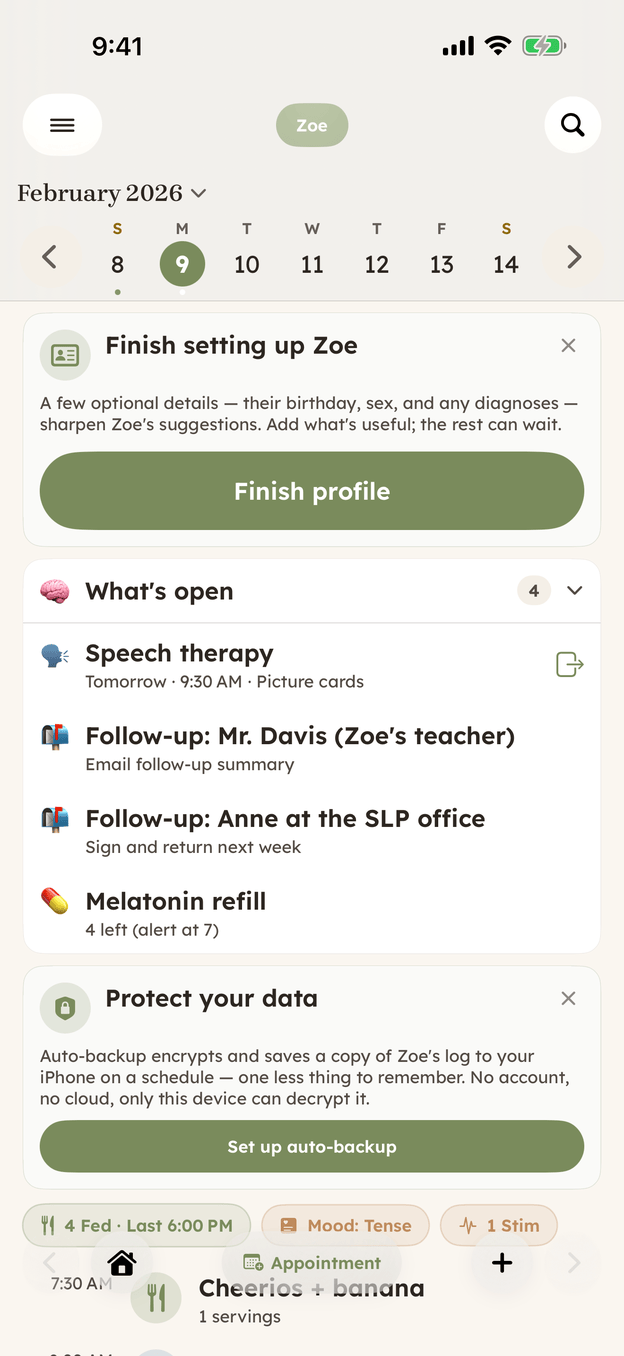
The brief starts here, with the day you've already been logging. -
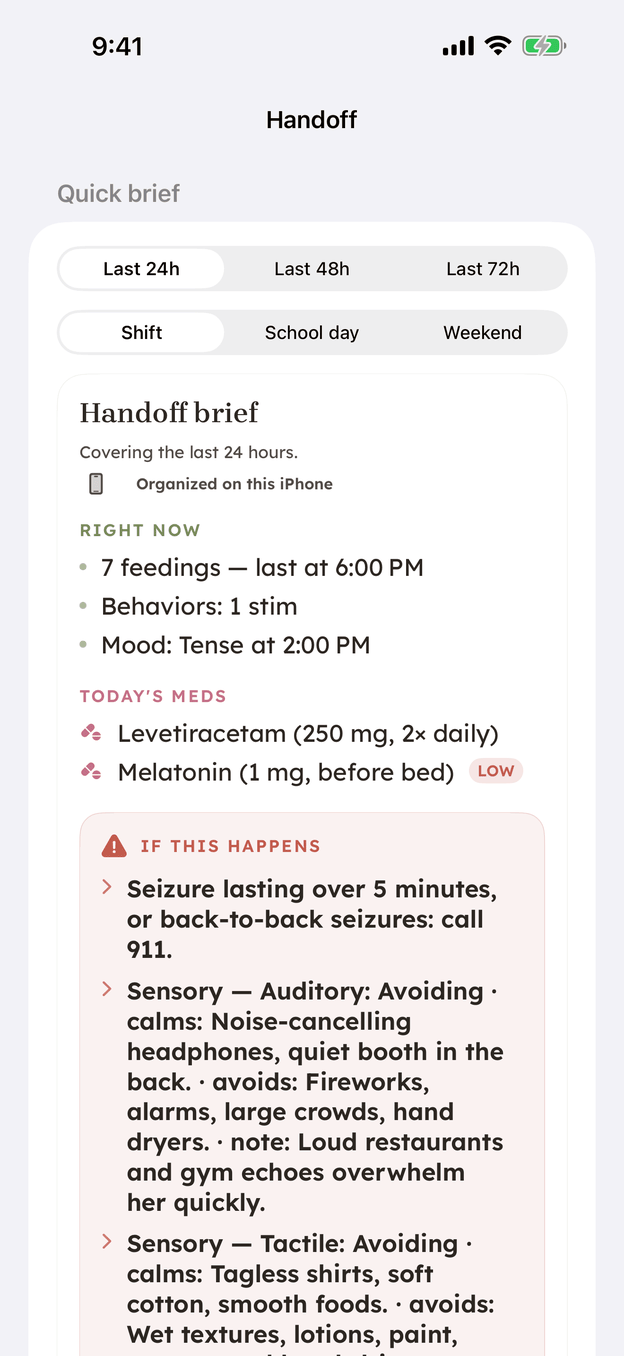
One page, already organized, built from that same day.
Pick how far back it should reach — the last 24, 48, or 72 hours. A single overnight is usually plenty at 24; a full weekend away reads clearer at 48 or 72.
Add up to two "tell them" notes on top of that — the specific things you want this particular sitter to know tonight that the automatic sections won't catch on their own. They show up under the sitter's name in what you send, and they don't carry forward to the next handoff, so nothing piles up over time.
If whoever's reading it is more comfortable in another language, you can translate the summary before you send it. That runs on your phone's own translation, so none of it leaves the device.
Then you send it, however fits the moment. Hold your phone near theirs and it opens as a read-only page with nothing to install. Text or email it like anything else you'd send. Show a QR code if they're standing next to you, or copy a link if you're sending it yourself from across town. Print it or save it as a PDF if the next person needs paper in hand. For a sitter or respite worker who comes back regularly, you can write the brief to an NFC sticker on the fridge instead — anyone taps their phone to it and sees the same page, no account needed. Every one of these leaves a copy in Handoff's History, so weeks later you can check exactly what the last person was told.
One thing worth knowing before you rely on it: a handoff is a snapshot, not a living document. A sticker or a saved link holds what was true the moment you made it, and it doesn't update itself afterward. If something changes in a big way (a new contact, a new medication), make a fresh one instead of trusting an old copy.
Full feature reference, including backups and the fridge sticker: Create a handoff.
The Handoff Sheet
One page for what to leave with a sitter, a substitute teacher, or a respite worker. Free PDF. Useful even if you never install the app.
Get the Handoff Sheet →CareHaven is in open beta
Everything above is in the app. It is free while in beta, all your care data stays on your device, and you can walk away with a full backup at any time.
Join the iPhone beta →