
The notes exist. That was the hard part, and you already did it — six weeks of them, in whatever form the nights allowed. A notebook on the dresser, or a text thread with yourself written one-handed in the dark.
Then the appointment gets close, and the pile turns on you. Somewhere in those pages is what the neurologist will actually ask about, and it sits buried under everything else you wrote down at 2 AM.
Here is the reframe that makes the prep manageable: the visit runs on four answers, and the log already holds them: how often, how long, what time of day, and what came before. Clinicians say as much themselves. The NHS tells families that a doctor will ask what happened before, during, and after a seizure, and that it helps to bring along anyone who saw one. The CDC's guidance for living with epilepsy spends exactly one line on this: track your seizures to understand patterns.
So the job between now and the visit is a summarizing job — half a page pulled out of the pile in ten quiet minutes.
Pulling the four answers out of the pile
If the notes live on paper or in a notes app, this works tonight, no software required:
- How often. Count them per week, not in total. "Eight in six weeks" hides the slope; "one a week through May, then three in one week" shows it.
- How long. The typical length, plus the outlier if there was one. If you timed with a stopwatch, say so — a timed minute and a guessed minute are different data, and the visit will treat them differently.
- What time of day. Scan just the timestamps and look for a cluster, like mornings, or the hour after school. This is the pattern hardest to see while living it and easiest to see in a list.
- What came before. The NHS suggests a diary exactly because it surfaces possible triggers; tiredness and stress are on their list. No one is asking you to settle causation; note what your own pages show next to the hard days.
- What changed. A new school year, a medication change, a growth spurt, the week everyone had the flu. The visit compares this stretch to the last one, so say what made the stretch different.
Then write the half page. Made-up numbers, real shape:
Eight in six weeks — roughly one a week through May, three in the first week of June. Most lasted 60 to 90 seconds. One ran just past three minutes on June 3 — timed, not guessed. Six of the eight started between 6 and 8 AM. Four followed short nights, and the June cluster overlapped a cold. Since the last visit: they moved earlier in the morning, and one happened at school.
That half page is the appointment. Everything else in your notes stays available for follow-up questions, and you can stop rehearsing on the drive over. It is the same instinct behind the handoff sheet that fits on one page — whoever is reading it, the useful version of your notes is short.
I did not learn this in a neurology office. For our son, the specialists have been the GI and the pediatrician, and the lesson was the same one: when something went wrong — a fever, a choking episode, a refusal — the only way to hand them something they could act on was to have already been keeping a log nobody asked for, going back a week. The log nobody asks for turns out to be the one the appointment needs.
If the log lives in CareHaven, the reading is already done
CareHaven is the app I am building for exactly this kind of carrying, and the rest of this post walks through its seizure log and Patterns screen. The practice above works fine on paper; the app's job is to make the summarizing automatic. These steps assume you have never opened it.
- The seizure log lives at Main Menu → Medical → Seizures. That row can be switched on or off per person, so if it is missing, scroll to the bottom of the same Medical screen, tap Customize, and turn Seizures on.
- To log one as it happens, tap the + button at the bottom of the screen, just right of center, and choose Seizure. Tap Start the moment it begins and Stop when it ends — the exact duration is captured for you, which settles timed-versus-guessed for good.
- Afterward, pick the type if you know it ("unknown" is a fine answer), write what you noticed in the notes field, and tap Save. The timer has its own guide, Log a seizure with the timer, including how it keeps counting on your Lock Screen so you can put the phone down and stay with your person.
- Every saved entry lands back at Main Menu → Medical → Seizures, each with its date, time, duration, and your notes. That history is your pile, already sorted.
The Patterns screen
Once entries exist, the top of that seizure history shows a Patterns row. Tap it.
Patterns reads everything you log for that person (seizures, check-ins, sleep, behavior) and turns it into cards. A card might be a time-of-day cluster with a small chart under it, a streak like "3 days seizure-free," or a connection between two things you track, like what the day after a seizure tends to look like. Every card shows its evidence line ("Based on 35 entries · the last 30 days") and a strength label of Weak, Moderate, or Strong, so a hunch stays labeled as a hunch.
Two controls do the visit prep:
- The Window chips at the top (7d, 30d, 90d) set how far back it reads. Tap 90d and the whole six weeks is inside the window.
- On any card worth the neurologist's time, tap Save for the next visit. The button flips to Saved to Visit prep, and the pattern is filed as a question that will be waiting on the appointment when it comes.
-
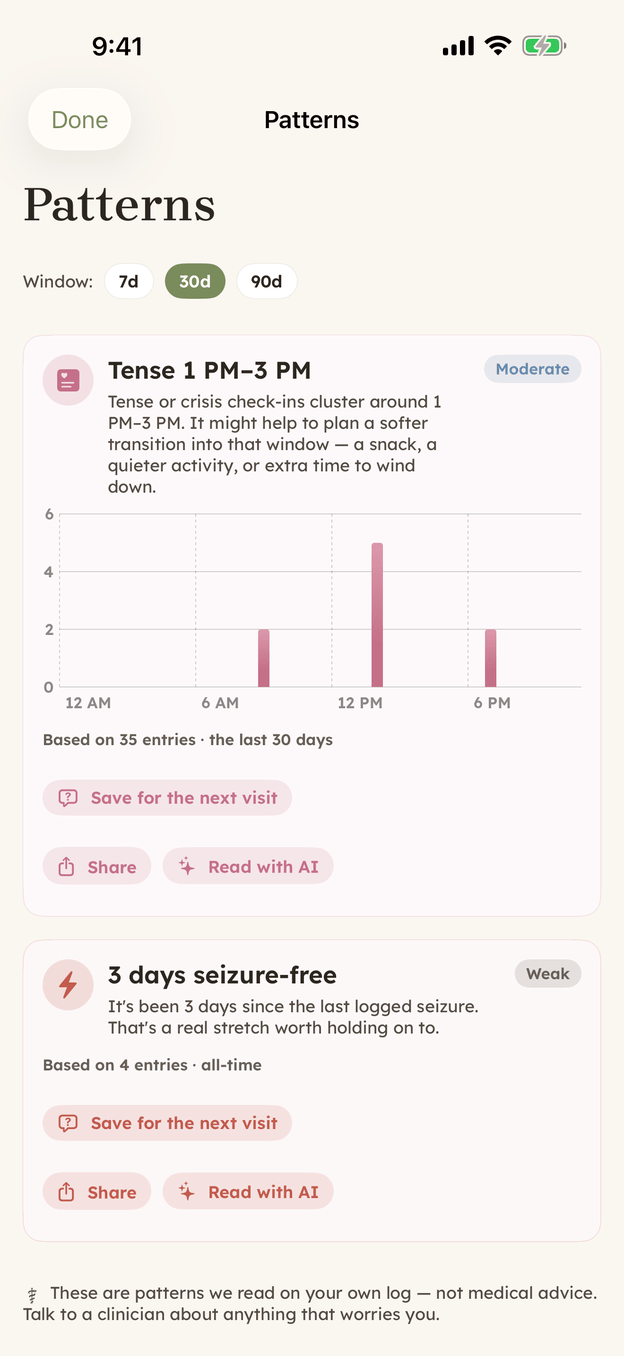
Patterns on demo data: a time-of-day cluster and a streak, each carrying its evidence line and a strength label. Save for the next visit files a card as a question for the upcoming appointment. -
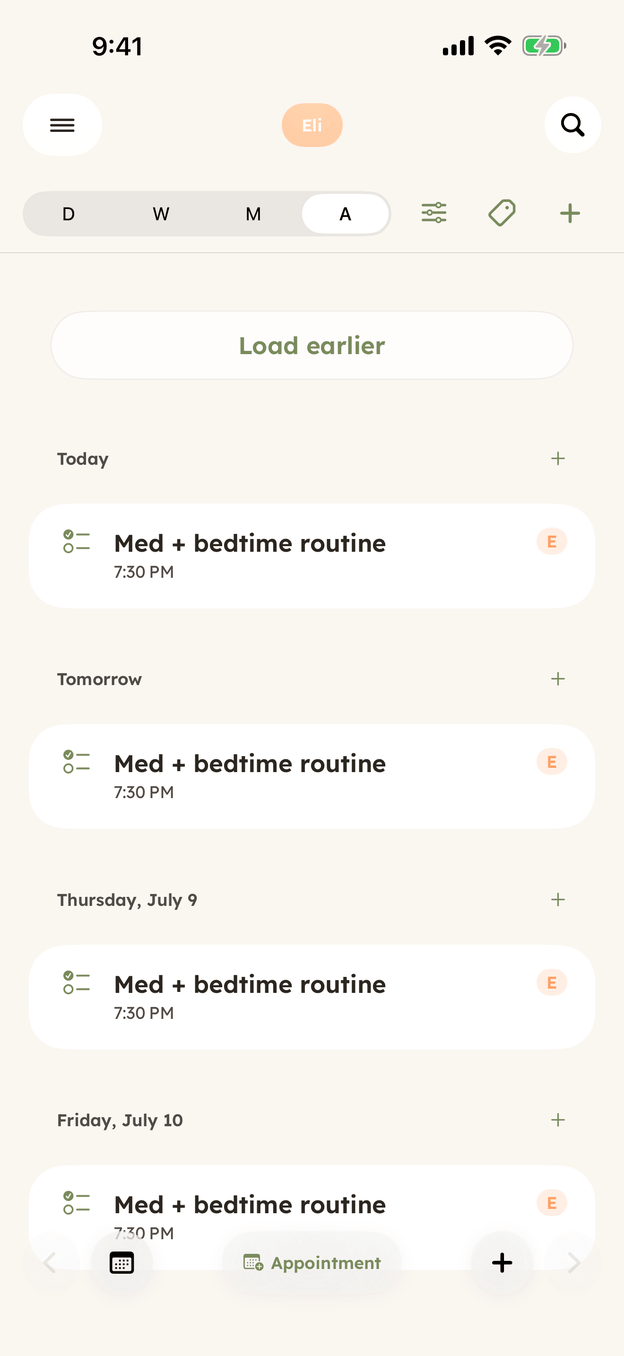
The Schedule in Agenda view. Put the neurology visit here and your saved questions will be waiting on it the day before.
Where the saved question goes
The appointment side lives at Main Menu → Schedule: a full calendar with Day, Week, Month, and Agenda views along the top. If the neurology visit is not on it yet, tap + in the top right of the calendar toolbar and choose New appointment, then give it a title, provider, date, and time. An appointment can also carry notes and a bring-along list for the things that cannot be forgotten in the doorway. The bag itself, meaning what to physically bring to any specialist visit, got a post of its own.
When the visit is a day away, a Get ready for this visit section appears on that appointment. It holds the questions you saved from Patterns plus a one-tap summary of the last 30 days pulled from the log, so the half page assembles itself and is sitting there when the front desk calls your name.
If you would rather send something ahead, or hand your phone across the desk, every Patterns card has a Share button that passes a plain-text version of that pattern to the iPhone share sheet — text it to yourself, or drop it into an email draft for the front office.
The honest part
The screen says this itself, in small print at the bottom: these are patterns read from your own log, not medical advice. The app is doing arithmetic on what you wrote down, and it shows its work in the entry counts and the window it read. What any of it means belongs to the person with the medical degree, which is exactly why the useful move is saving a card for the visit rather than interpreting it at midnight. You stay the editor, and you know better than any chart which cards deserve the visit's limited minutes.
Six weeks of nights went into that log. Walk in with the half page it was always trying to become.
CareHaven is in open beta
Everything above is in the app. It is free while in beta, all your care data stays on your device, and you can walk away with a full backup at any time.
Join the iPhone beta →